

After testing Perplexity Comet browser extensively, it’s clear this isn’t just another browser with AI features bolted on—it’s a fundamental reimagining of how we interact with the web. Now available free for Mac and Windows users worldwide, Comet transforms browsing from passive consumption to active, intelligent assistance.
Revolutionary AI Integration
Built-in Perplexity Assistant
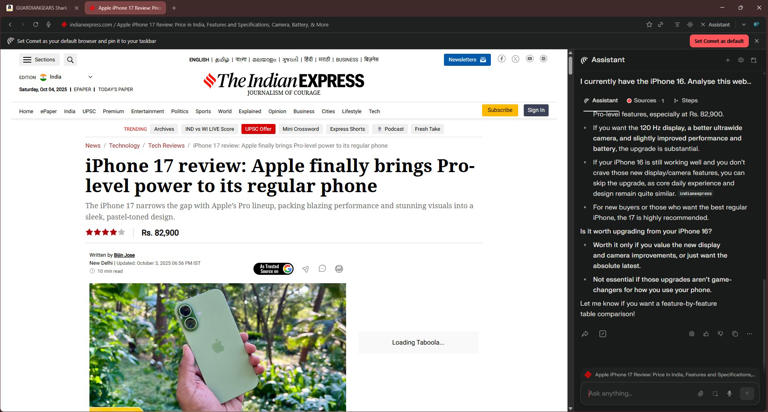
Unlike traditional browsers where AI feels like an afterthought, Comet browser features 2025 center around seamless AI integration. The built-in Perplexity Assistant doesn’t just answer questions—it actively participates in your browsing experience by:
- Analyzing and summarizing web pages in real-time without switching tabs
- Extracting key information from lengthy articles, reviews, or research papers
- Providing contextual insights based on what you’re currently viewing
- Maintaining conversation memory across your entire browsing session
This integration eliminates the friction of copying URLs to external AI tools or switching between applications for analysis.
Agentic AI: Beyond Traditional Browsing
Autonomous Task Execution
What sets Perplexity Comet AI browser apart is its ability to perform tasks autonomously. During testing, Comet demonstrated impressive capabilities:
Email and Calendar Management:
- Scanning emails to identify urgent messages requiring immediate attention
- Checking Google Calendar events and providing daily briefings
- Automatically organizing related tabs into logical groups
Automated Web Navigation:
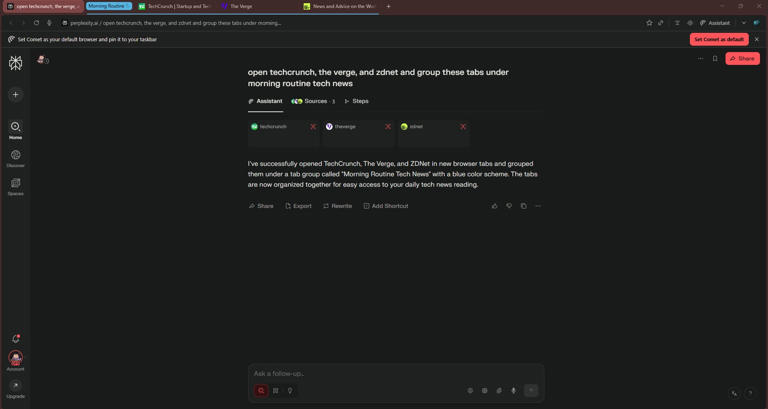
- Opening multiple websites based on simple instructions
- Creating custom tab groups like “Morning Routine” or “Research Projects”
- Navigating complex website structures to find specific information
Intelligent Shopping Assistant
Comet shopping features proved particularly valuable for online purchases:
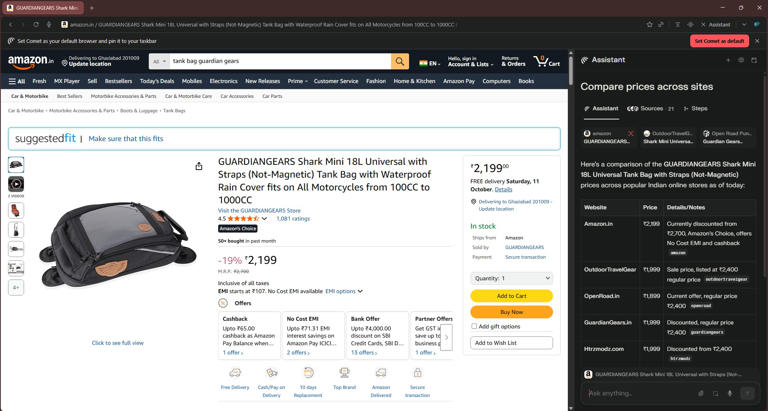
- Automatically summarizing product reviews from multiple sources
- Comparing prices across different websites without manual searching
- Providing comprehensive alternative product recommendations
- Analyzing user feedback to highlight pros and cons
This functionality transforms time-consuming comparison shopping into efficient, AI-assisted decisions.
Enhanced Research Capabilities
Deep Research Made Accessible
Traditional AI chatbots require separate apps or websites for research tasks. Comet browser research tools integrate this functionality directly into browsing:
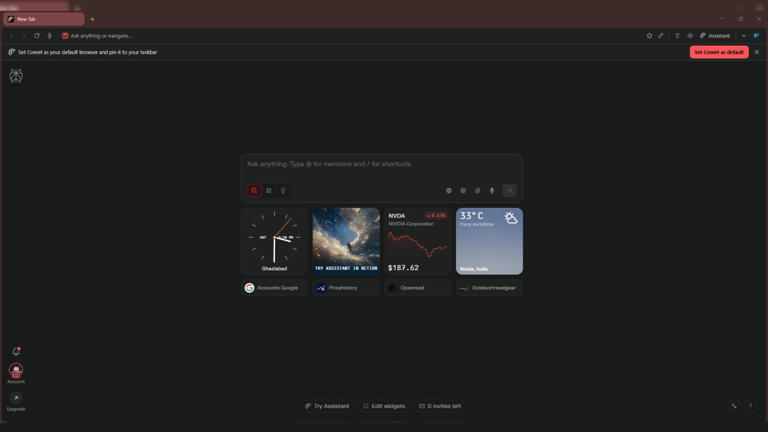
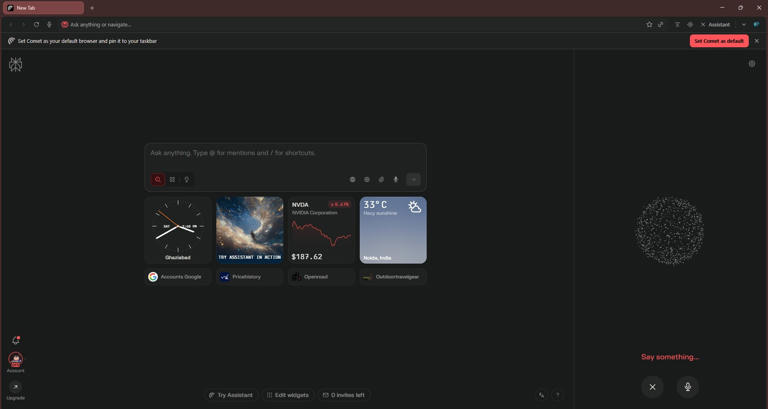
- New tab page serves as a Perplexity AI shortcut for immediate queries
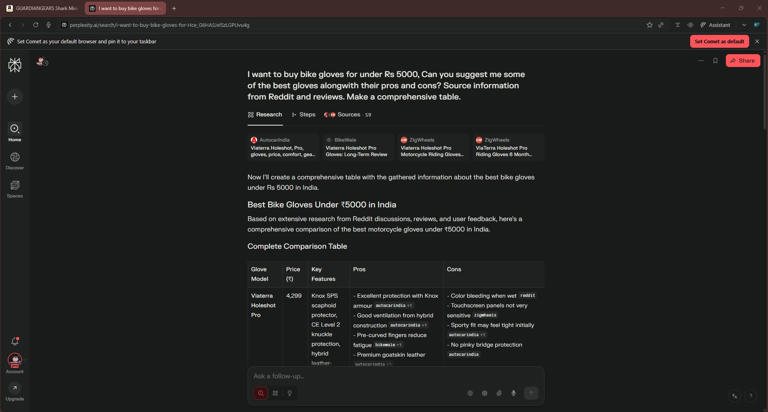
- Comprehensive research results with meticulously organized data tables
- Multi-source analysis pulling information from numerous websites simultaneously
- Real-time web access ensuring current, accurate information
Example query results show sophisticated organization, like creating detailed comparison tables for “Bike gloves under Rs 5,000” with specifications, prices, and ratings.
Voice-Enabled Browsing Experience
Natural Language Web Navigation
Comet voice mode transforms web interaction through conversational commands:
- Alt+Shift+V keyboard shortcut or one-click activation from the toolbar
- Hands-free browsing allowing natural language queries
- Contextual understanding maintaining conversation flow across voice sessions
- Seamless integration with existing browsing activities
This feature particularly benefits users who prefer verbal communication or need accessibility support.
Technical Implementation and Performance
Chromium-Based Architecture
Built on Chromium foundation, Comet maintains compatibility with:
- Chrome extensions ensuring familiar functionality
- Existing bookmarks and settings through one-click import
- Standard web technologies without compatibility issues
- Familiar user interface reducing learning curve
Context-Aware Intelligence
Unlike isolated AI tools, Comet browser intelligence understands:
- Cross-tab relationships enabling comparisons between different websites
- Browsing history context informing relevant suggestions
- Session continuity maintaining conversation threads across browser restarts
- User preferences adapting responses based on usage patterns
Real-World Applications and Benefits
Professional Use Cases
Comet browser professional features excel in business environments:
Research and Analysis:
- Market research compilation from multiple sources
- Competitive analysis with automated data extraction
- Technical documentation summarization
- Academic paper analysis and citation extraction
Productivity Enhancement:
- Email triage and priority identification
- Meeting scheduling through calendar integration
- Task automation reducing repetitive actions
- Information synthesis for decision-making
Personal Productivity Applications
Daily workflow improvements include:
- News aggregation and summarization
- Shopping research and price comparison
- Travel planning with multiple source consultation
- Educational content analysis and note-taking
Current Limitations and Considerations
Search Result Quality
Testing revealed occasional challenges with Comet search accuracy:
- Sometimes struggles with highly specific or niche queries
- Not always matching Google or Bing search result relevance
- Occasional context misinterpretation in complex requests
- Limited effectiveness for certain technical or specialized topics
Platform Availability
Current Comet browser availability limitations include:
- Desktop-only availability (Mac and Windows)
- Mobile version still in development
- Some advanced features require Perplexity Pro subscription
- Beta-level stability with occasional performance issues
Comparison with Traditional Browsers
Advantages Over Chrome/Edge/Firefox
Comet vs traditional browsers highlights significant differences:
Information Processing:
- Instant page analysis vs. manual reading
- Automated summarization vs. full-text consumption
- Context-aware suggestions vs. static bookmarks
- Voice interaction vs. keyboard-only input
Task Automation:
- Proactive assistance vs. passive tool usage
- Cross-platform integration vs. isolated functionality
- Intelligent workflow support vs. manual tab management
- Autonomous research vs. manual source compilation
Integration Benefits
Comet browser ecosystem provides unified experience:
- Single application for browsing, research, and task management
- Reduced app switching and context loss
- Consistent AI assistance across all web activities
- Seamless transition between different task types
Future Implications and Development
Roadmap Features
Perplexity has announced upcoming Comet browser updates including:
- Mobile version extending capabilities to smartphones and tablets
- Background Assistant for simultaneous multi-task processing
- Enhanced automation with more sophisticated workflow support
- Improved accuracy addressing current search limitation issues
Market Impact
Comet’s significance extends beyond individual productivity:
- Challenging traditional browser dominance
- Demonstrating AI-first web experience potential
- Setting new standards for intelligent browsing
- Influencing competitor development strategies
Practical Recommendations
Best Use Cases
Optimal Comet browser scenarios include:
- Research-intensive work requiring multi-source analysis
- Content creation needing background information compilation
- Shopping and comparison tasks across multiple websites
- Professional analysis requiring document summarization
Getting Started Tips
Comet browser optimization suggestions:
- Import existing bookmarks and settings for seamless transition
- Experiment with voice commands for hands-free operation
- Utilize tab grouping features for better organization
- Take advantage of context-aware research capabilities
The Perplexity Comet browser represents a genuine evolution in web browsing, transforming passive information consumption into active, intelligent collaboration. While current limitations exist, particularly around search accuracy and mobile availability, the core concept successfully demonstrates how AI can enhance rather than complicate the browsing experience. For users whose work involves significant research, analysis, or information synthesis, Comet offers compelling advantages over traditional browsers, potentially justifying the transition despite its beta status.
